Client Configuration
Introduction
The configuration client (client configuration) is used to define and store the mapping parameters specific to a client. It is a statique (static) configuration that only needs to be created once. It must be updated in the following cases:
- changes to the exports produced by the bank’s systems;
- changes to the solution’s internal data model (in particular, the addition of new products)
A client configuration is required in order to import data.
It consists of four elements:
| Element | Role |
|---|---|
| Name | Identifies the configuration in the import screens. Several configurations can coexist. |
| Data format | The structure of the input files. It is this that determines how the files are read. Mandatory. |
| Client | A simple display label: it no longer determines the structure of the files. |
| Mapping file | The JSON file described below. |
The mapping reads as five sections — Extractions & products, Curves & conventions, Operation accounts, Classification, Run-off models — which are the tabs of a configuration’s detail (The sections of the configuration). The classification (mapping_compta) and the run-off models (what a model_*.json holds) are part of it: the import no longer reads them from the archive.
The configuration is versioned as a whole: every save creates a version, and a situation keeps the version it was imported with (Versions and replaying an arrêté).
Data format
The format des données (data format) is chosen from a drop-down list populated by the solution. Only one value is currently available:
| Value | Label |
|---|---|
CREDIT_LOGEMENT |
Fichiers Crédit Logement (Crédit Logement files) |
Previously, the way the files were read was inferred from the Client field: a typo in this label caused every import using the configuration to fail. The Client is now merely a label, and the format is declared explicitly. Existing configurations have been migrated to CREDIT_LOGEMENT.
Configuration files have the following structure:
{
  "compoundCurve": {},    // curves composed from the curves of the rate file
  "indexes": {},          // bank rate label → curve
  "curveQuotations": {},  // curve quotation: ZERO (default) or PAR
  "model": {
    "loan": {},
    "swap": {}
  },                      // engine field → file column, per product
  "products": {},         // mapping between the client's products and the products defined in the 'model' section
  "rateBase": {},         // mapping of day-count conventions
  "frequency": {},        // mapping of rate calculation frequencies
  "rateType": {},         // mapping of rate types (FIXED, FLOATING)
  "tags": [],             // columns copied as tags onto every transaction
  "accountingMapping": {}, // type of the balance accounts (Balance Sheet screen, carrying amount)
  "instrumentAccounts": {} // accounting account of the deals, by family, sub-family or instrument type
}Each section is detailed column by column in the application, under Situations › Import guide, and the Crédit Logement page of the help menu (? in the top bar) walks one extract row through every section of the Crédit Logement mapping. This chapter explains the rules applied; see also Crédit Logement import and, for every key and product, Import: processing and conversions.
Content of a client configuration
Rate curves
{
  "indexes": {
    "CMS (20-2)": "EURIBOR 6M SWAP",
    "ESTR": "ESTR_PROJECTION",
    "EURO INTERBANK OFFERED RATE": "EURIBOR 6M SWAP",
    "EURO INTERBANK OFFERED RATE|3M": "EURIBOR 3M SWAP",
    "EURO INTERBANK OFFERED RATE|6M": "EURIBOR 6M SWAP",
    "EURO OVERNIGHT INDEX AVERAGE": "EONIA_PROJECTION",
    "Palliers TF": "EURIBOR 6M SWAP",
    "iESTER": "ESTR_PROJECTION"
  },
  "compoundCurve": {
    "DISCOUNT_EUR": { "1d": "ESTR", "1Y": "EURIBOR", "100y": "ESTR SWAP" },
    "ESTR_PROJECTION": { "1d": "ESTR", "1y": "ESTR CASH", "100y": "ESTR SWAP" },
    "EONIA_PROJECTION": { "1d": "EONIA", "2w": "EONIA CASH", "100y": "EONIA SWAP" }
  }
}
The rate curve configuration has three elements:
- an
indexesentry containing the mappings between the indexes or rate curve references present in the import data; - a
compoundCurveentry used to definecompoundcurves from existing rate curves; - an optional
curveQuotationsentry declaring the quotation of each curve (see below).
In the example above, the
DISCOUNT_EURcurve is composed of three rate curves:ESTR SWAP,EURIBORandESTR. - theESTRcurve for the 1-day rate; - theEURIBORcurve for rates up to 1 year; - theESTR SWAPcurve beyond.
The meaning of the entries deserves clarification, as it drives the checks described below:
- in
indexes, the key is the rate label as quoted by the bank’s transactions, and the value is the curve index expected in the rate file — or the name of a compound curve; - a key can state the label’s tenor, in the form
label|tenor(EURO INTERBANK OFFERED RATE|3M). It applies when the product maps a tenor column (keyspayIndexTenor,rateBasisTenor,payRateBasisTenor,recRateBasisTenor) and the transaction’s cell holds that tenor. Tenors are compared after normalisation (3M,3 MONTHS,1Y,12M,1 YEARare equivalent). Without a tenor column, a value or a matching key, the key without a tenor applies; - each key of
compoundCurvebecomes a curve in its own right, built from the elementary curves it references. Each elementary curve contributes its points whose maturity does not exceed its threshold (1d,1Y,100y…), the thresholds being taken from shortest to longest; at equal maturity, the point of the curve with the longest threshold wins. For each elementary curve, the quotation date closest to the reporting date is used.
The ESTR_PROJECTION and EONIA_PROJECTION projection curves of the Crédit Logement mapping show why compound curves matter: the ESTR SWAP and EONIA SWAP curves only start at 2 and 4 years. Projected on them alone, an overnight leg would read the first swap pillar extrapolated flat. Built from the overnight fixing, the money-market points (ESTR CASH up to 1 year, EONIA CASH up to 2 weeks) and then the swaps, the projection curve has a real short end.
Curve quotation (curveQuotations)
{
  "curveQuotations": {
    "DISCOUNT_EUR": "PAR",
    "ESTR_PROJECTION": "PAR"
  }
}
A curve missing from curveQuotations is quoted ZERO: its points are read as zero-coupon rates. A curve declared PAR carries money-market rates and par swap rates; it is bootstrapped into a zero-coupon curve, used for discounting as for projection, and its shock scenarios apply to that zero-coupon curve (Calculation framework, §1.3). An elementary curve is named by its index, a compound curve by its name, ignoring case and extra spaces.
On import, each point gets its instrument from the name of the curve it comes from: a point of a curve whose name contains SWAP (ESTR SWAP, EURIBOR 3M SWAP) is a swap rate, any other point (ESTR, EURIBOR, ESTR CASH…) a money-market rate. A point of a compound curve keeps the instrument of the elementary curve it was copied from. No screen shows the quotation: it is set in the mapping, before the import.
The Crédit Logement mapping supplied declares no curveQuotations: its curves are read as zero-coupon rates until par quotation is switched on.
Consistency checks
These two entries are checked on every import, and as soon as the rate file is uploaded in a guided import:
- every value of
indexesand every elementary curve of acompoundCurvemust exist in the rate file. An index that cannot be found is reported as an error on the rate file, with the name of the index and the bank labels that target it. The comparison ignores case and extra spaces. A key with a tenor is checked like the others: mapping a tenor onto a curve the file does not carry is an error, not a silent fallback. A compound curve whose elementary curve is missing is not built; - a transaction quoting a rate label missing from
indexesis no longer rejected: a warning naming the label to add is issued and the transaction is still valued. The detailed behaviour is described in the chapter Importing an ALM situation.
Discount index
The import screens require a discount index, i.e. the curve used for all the discount factors of the situation. The list offered is built from this configuration: the keys of compoundCurve, then the entries of indexes — displayed under the bank’s label, but saved under the corresponding curve index.
A configuration that declares neither indexes nor compoundCurve therefore allows no import: the list of discount indexes is empty and its mapping file must be corrected.
Default discount factor index (discountFactorIndexes)
discountFactorIndexes assigns each pivot currency the discount index to offer by default:
"discountFactorIndexes": {
  "EUR": "DISCOUNT_EUR"
}
The import screen offers this index for the pivot currency entered, as long as no other is chosen. An archive imported without an index takes the one of its pivot currency. Each value must be a curve the configuration builds, that is a key of compoundCurve or a value of indexes. Otherwise a check of the Courbes & conventions tab flags it, because the import would refuse that index (Configuration checks).
Mappings
Product mapping
{
  "model": {
    "loan": {
      "callDate": "DateCall",
      "counterparty": "Counterparty",
      "currency": "currency",
      "dealDate": "Deal Date",
      "instrumentType": "Instrument Type",
      "payIndex": "Basis",
      "payIndexTenor": "Basis Rate Frequency Time Band",
      ...
    },
    "repo": {
      "counterparty": "Counterparty",
      "dealDate": "Deal Date",
      "instrumentType": "Instrument Type",
      "interestAmount": "Interest Amount",
      "interestConvention": "Interest Days Convention",
      "nature": "Borrowing  Investing",
      ...
    }
  },
  "products": {
    "Asset Swap Fix Fix": "swap",
    "Asset Swap Fix Float": "swap",
    "Asset Swap Inflation Fix Float": "swap",
    "CAT Actions": "term_deposit",
    "CAT PPD Taux Variable": "term_deposit",
    "CAT Progressif": "term_deposit",
    "CAT Progressif Capitalise SEM A": "term_deposit",
    "CAT Sub Taux Variable": "term_deposit",
    "CAT Taux Fixe": "term_deposit",
    "CAT Taux Fixe Capitalise": "term_deposit",
    "CAT Taux Variable": "term_deposit",
    "Collateral Pret de titres": "repo",
    "Emprunt Gage Coll Taux Fixe": "loan",
    "Emprunt PPD Taux Variable": "loan",
    "Emprunt Sub Taux Variable": "loan",
    "Mise en pension de titres": "repo",
    "NANT-Creance Entreprise": "nantissement",
    "NANT-Creance Interne": "nantissement",
    "NANT-Titre": "nantissement",
    "Pret de titres": "repo",
    "Prise pension de titres (In fine)": "repo",
    "Prise pension de titres (Periodic)": "repo",
    "Swap Fix Float": "swap",
    "Swap Float Fix": "swap",
    "Swap Float Float": "swap"
  }
}
In model, the key is the engine field and the value the exact name of the file column, spaces included. A column named in the mapping must exist in the file, even empty: otherwise every row is rejected (“Record does not contain field ‘…’”). Optional keys (remainingNominal, callDate except for loan and term_deposit where it is required, issuerCallDate, reviewFrequency, the tenor keys, nature…) can be absent from the mapping: the import then works as it did before they were introduced. The products section picks the product from the Instrument Type column; a value missing from products gets the transaction rejected (“Cannot parse ‘ProductMapping’ with value ‘…’”).
Convention mapping
{
  "frequency": {
    "ANNUAL": "YEAR",
    "AT MATURITY": "AT_MATURITY",
    "QUARTERLY": "QUARTER",
    "SEMI ANNUAL": "SEMESTER"
  },
  "rateType": {
    "FIXED": "FIXED",
    "FLOATING": "FLOATING",
    "Taux Fixe": "FIXED",
    "Taux Révisabl": "FLOATING"
  },
  "rateBase": {
    "30/360": "ABB_30_360",
    "30E/360": "ABB_30_360",
    "ACTUAL/360": "EXACT_360",
    "ACTUAL/365": "EXACT_365",
    "ACTUAL/ACTUAL": "EXACT_EXACT",
    "default": "ABB_30_360"
  }
}rateBasetranslates the day-count convention read on the transaction into an engine basis (EXACT_EXACT,EXACT_365,EXACT_360,ABB_30_360, see Calculation framework, §1.6). An empty cell takes thedefaultvalue; a value missing from the table gets the transaction rejected (“Cannot parse ‘RateBase’ with value ‘…’”), except for the swap legs described below.- A business-day rule is not a day-count convention.
FOLLOWING,MODIFIED FOLLOWING,PRECEDING,ACTUAL DATE,UNADJUSTED… say how to move a date that falls on a non-business day, not how to count days. For a swap leg, such a value is never read as a basis, even if therateBasetable lists it: the leg takes the market convention (Crédit Logement import). Do not add these labels torateBase. frequencyandrateTypeare not read by the engine. Both sections appear in the mappings for reference, but the Crédit Logement import recognises the values of the extracts directly:- frequency:
MONTHLY(month),QUARTERLY(quarter),SEMI ANNUAL(half-year),ANNUAL(year),AT MATURITYorNONE(single coupon at maturity), written exactly so. Any other value gets the transaction rejected (“Cannot parse ‘Frequency’ with value ‘…’”). An unknown review frequency (reviewFrequency), such asDAILY, is only left empty, with an information message; - rate type:
FIXEDorFLOATING, ignoring case. On loans, term deposits and securities, any other value, or a blank cell, gets the transaction rejected; on a swap leg the column is optional and another value is ignored. A label such asTaux Fixeis therefore not translated by therateTypesection.
- frequency:
Tags and balance sheet labels
{
  "tags": ["Entity"],
  "accountingMapping": { "6": "PNL", "7": "PNL", "9": "OBS", "943": "DERIVATIVE", "H": "OBS" }
}tagslists columns copied onto every transaction as tags: the value of theEntitycolumn becomes a tag, used afterwards to group and filter the results. In an Excel workbook, an empty cell of atagscolumn gets the row rejected (Crédit Logement import).accountingMappingtypes the balance accounts from the start of their number:ASSET,LIABILITY,DERIVATIVE,PNLorOBS. A key is an account prefix, written with or without trailing stars (6,6*and6**are the same key); when several keys cover an account, the longest wins, whatever their order (with9 → OBSand943 → DERIVATIVE, account94310002is a derivative,90100000off-balance sheet). The type labels the rows of the Balance Sheet screen (NO_MAPPINGfor an account no key covers) and decides which accounts make the carrying amount of templates J 02.00 to J 04.00 (§3.5):PNL(income statement),OBS(off-balance sheet) andDERIVATIVE(derivative notionals, off balance sheet under French GAAP) contribute nothing;ASSET,LIABILITYand an account no key covers are balance-sheet accounts: the classification files them on their FINREP row, and a balance-sheet account it files nowhere is reported with its balance.
accountingMappingis deprecated and optional. An account’s type now comes from the classification (mapping_compta,Bilancolumn:Actif,Passif,HB,Résultat), which must cover every account of the ledger (balance-sheet coverage).accountingMappingonly types an account the classification does not cover. An account neither types is reported at import in a warning that groups those accounts by class (first three digits), with their count and balance; it is treated as a balance-sheet account.
Accounting account of the deals (instrumentAccounts)
An imported deal carries no accounting account: instrumentAccounts gives it one, from what the deal is. The principle is described in chapter 7 of the methodology.
"instrumentAccounts": {
  "families": { "swap": "943100", "term_deposit": "131200", "loan": "541900", "security": "304120" },
  "subFamilies": [
    { "name": "Asset swaps", "instruments": ["Asset Swap Fix Fix", "Asset Swap Fix Float"], "account": "943101" },
    { "name": "Prises en pension", "instruments": ["Prise pension de titres (In fine)", "Prise pension de titres (Periodic)"], "account": "301110" }
  ],
  "instruments": { "CAT Actions": "131223", "Emprunt PPD Taux Variable": "541200", "Mise en pension de titres": "301210" }
}families: a family, i.e. a value of theproductsmapping (swap,repo,term_deposit,loan…), orsecurityfor the securities file.subFamilies: a named group of instrument types of one family that share an account. An instrument type belongs to one sub-family at most.instruments: the exact value of the extract’sInstrument Typecolumn (for securities, the column holds the ISIN or the security’s label).
The most precise rule wins: instrument type, then sub-family, then family. Keys are compared ignoring case and surrounding spaces. An account is written in digits, followed by stars when less precision is enough (9431**). The histo sheet of the classification workbook takes precedence over these rules, deal by deal. A deal no rule covers is imported without an account: it has no FINREP row, and the import reports it (Crédit Logement import). The section is optional, but without it no imported deal is classified.
The accruedInterestAccounts section, of the same shape, gives the poste of the deal’s accrued interest (its related receivables or payables); it resolves in the same order. The deal thus covers that poste of the ledger as well as the poste of its principal (balance-sheet coverage).
"accruedInterestAccounts": {
  "families": { "term_deposit": "131700", "loan": "547100", "security": "304720" },
  "instruments": { "CAT Actions": "131723", "Mise en pension de titres": "301270" }
}
The secondLegAccounts section, of the same shape, gives the poste of the second leg of a securities loan or borrowing: the deal is also imported as a mirror leg of opposite direction on that poste (two-leg deals).
"secondLegAccounts": {
  "instruments": { "Collateral Pret de titres": "302710", "Pret de titres": "304120" }
}
It is edited in the client configuration detail, above the JSON editor: accounts by family, sub-families and accounts by instrument type. Saving is refused while a rule is invalid (malformed account, an instrument type in two sub-families).
List of client configurations
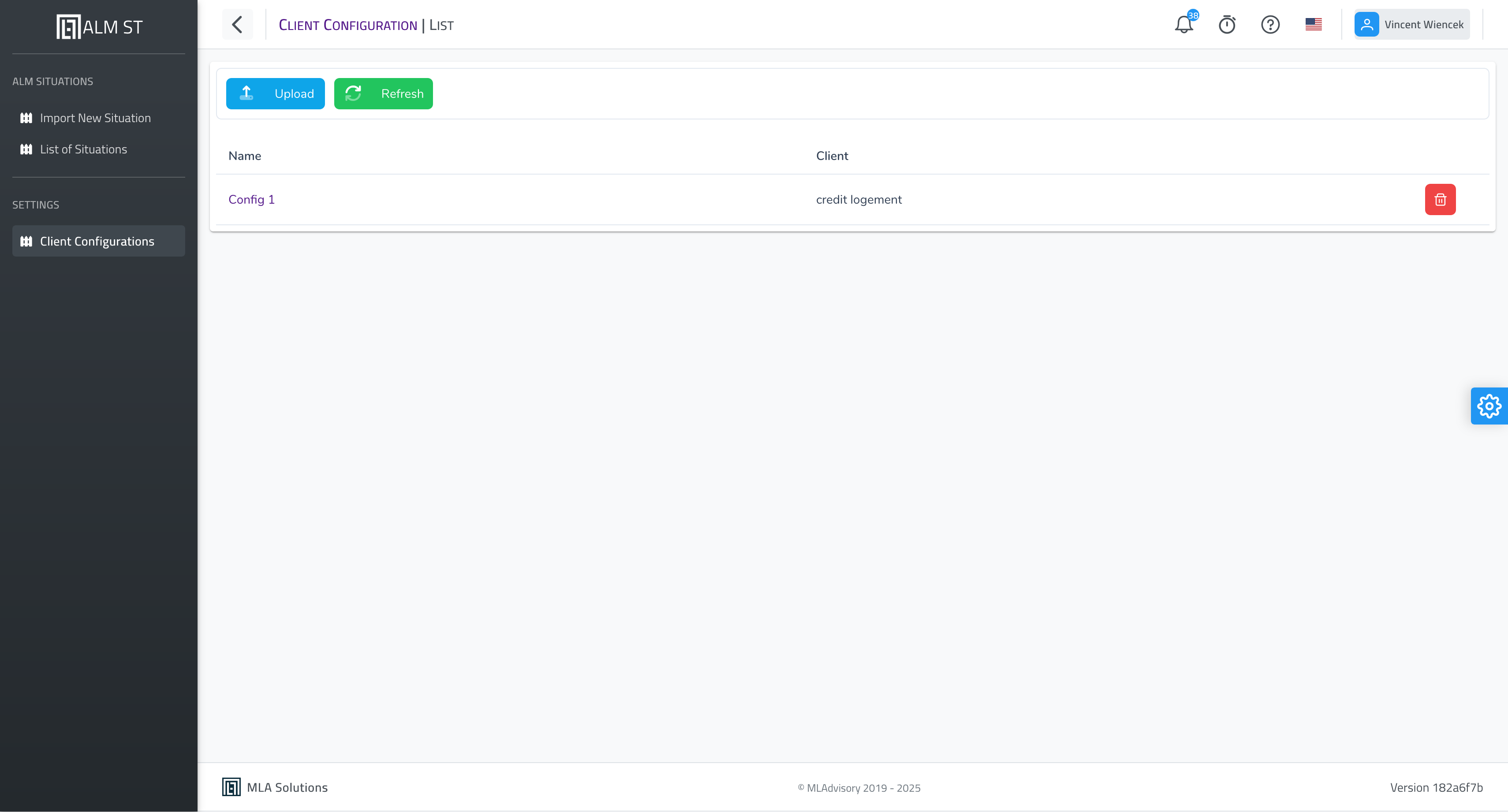
The list of client configurations is available here
Client configuration detail
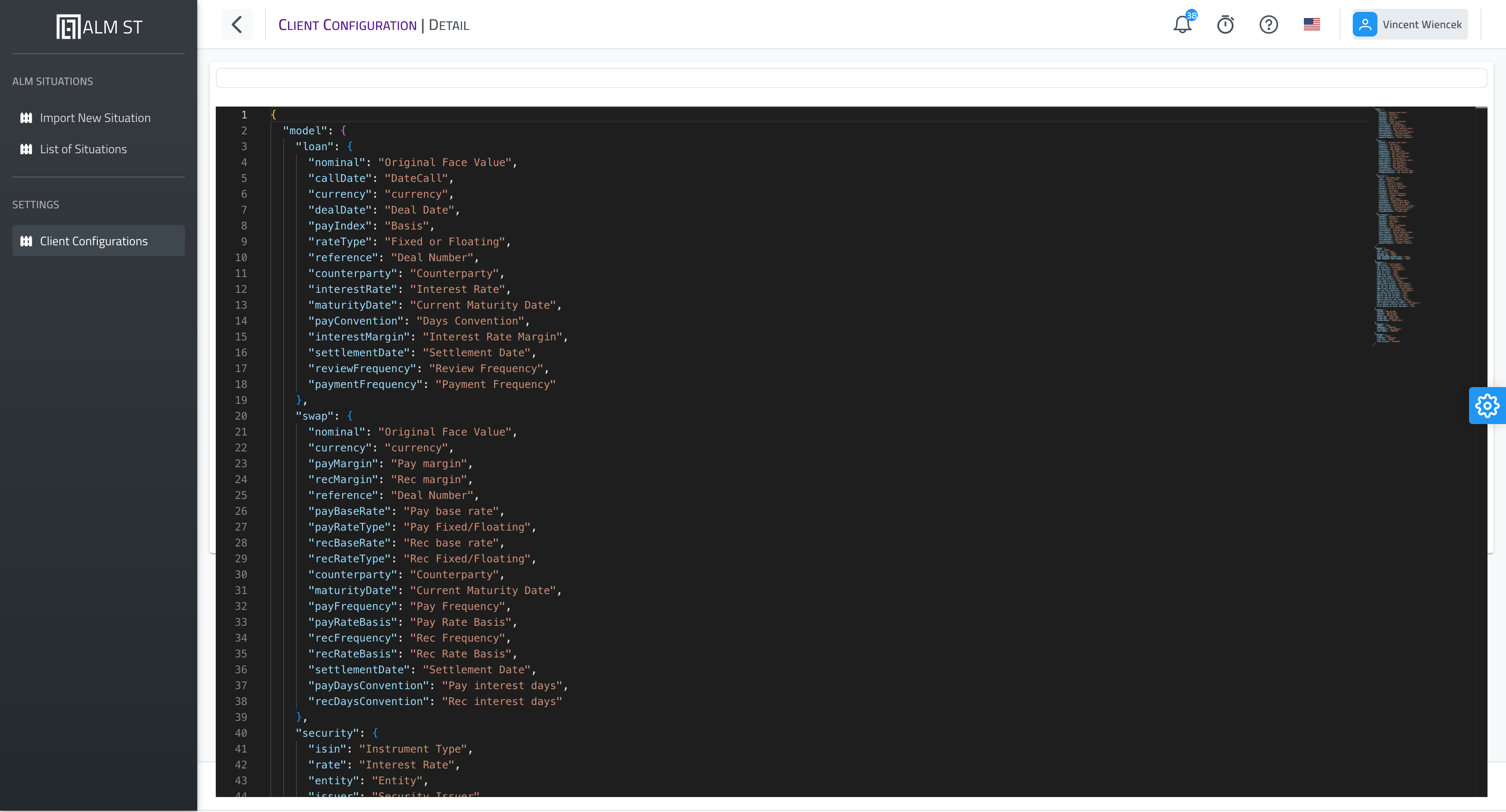
The detail has one tab per section, a Versions tab and the JSON (advanced) tab, which shows the whole mapping as stored. Save saves every section at once and creates a new version.
The sections of the configuration
| Section (tab) | Mapping content | Edited |
|---|---|---|
| Extractions & products | model, products, tags |
as JSON, limited to these keys |
| Curves & conventions | indexes, compoundCurve, discountFactorIndexes, curveQuotations, rateBase, frequency, rateType |
as JSON, limited to these keys |
| Operation accounts | instrumentAccounts (and accruedInterestAccounts, secondLegAccounts) |
with the rule editor (above) |
| Classification | classification: the mapping_compta |
as a table, or by loading a workbook |
| Run-off models | balanceSheetStrategy: what a model_*.json holds |
as JSON, or by loading a file |
Classification
One row per accounting poste: its side of the balance sheet (Asset, Liability, Off-balance sheet, P&L), its counterparty, FINREP class, hedge role, sign and the flags of the IRRBB perimeter: GCA, Nominal, EVE, NII, MV, plus Fin. op., Modelled and Rate sens.. Rows are edited in the table, filtered by poste, counterparty or FINREP class, and saved with the configuration.
- Load a workbook: the
mapping_comptaworkbook (sheetsmapping_compta,mapping_compta_irrbband, when there is one,histo) is read during its upload, and the outcome of the reading (workbook read, empty or unreadable, anomalies) shows at once (Checking a file on upload); it then replaces the section and the configuration gets a new version. The workbook never travels with an import. Loading waits until pending edits are saved. - Export the workbook: the section in the
mapping_comptalayout, flags included; it loads back unchanged.
The classification is stable from one arrêté to the next: one version serves several arrêtés, and a new version only appears on a change. A configuration without a classification stops the import (IMP-055); a workbook still in the archive is ignored (IMP-056).
Run-off models
The run-off strategies of the ledger postes no deal carries (for instance the UCITS 303130** run off over 1 day) and the evolution of the balance sheet. The tab lists them (reference, strategy, horizon or buckets) and shows them as JSON. Load a model file reads a model_*.json: each strategy is checked as in an evaluation context, then the section is replaced and the configuration gets a new version. A configuration without run-off models stops the import (IMP-055).
Configuration checks
When the configuration is read, warnings show on the rows they concern; they never block a save:
- an operation account that falls on no poste of the classification (longest prefix; a starred account must cover at least one poste): the deals filed on that account would be classified nowhere;
- a configuration without a classification or without run-off models: an import read with it would stop.
On the ledger side, the import reports the accounts the classification does not type (Credit Logement import); the reconciliation is unchanged (Ledger reconciliation).
Versions and replaying an arrêté
The Versions tab lists the versions of the configuration, newest first: date, author, and the sections changed. Every save, every workbook or model file loaded creates a version.
- An import reads the latest version by default; the import screen lets you pick an earlier one.
Import with this versionopens the import with the configuration and the version picked: this is how an arrêté is replayed with the rules of its time.- A situation keeps the version it was imported with; the calculations run on it afterwards read the configuration at that version. A situation imported before versioning reads the current configuration.
Importing a client configuration
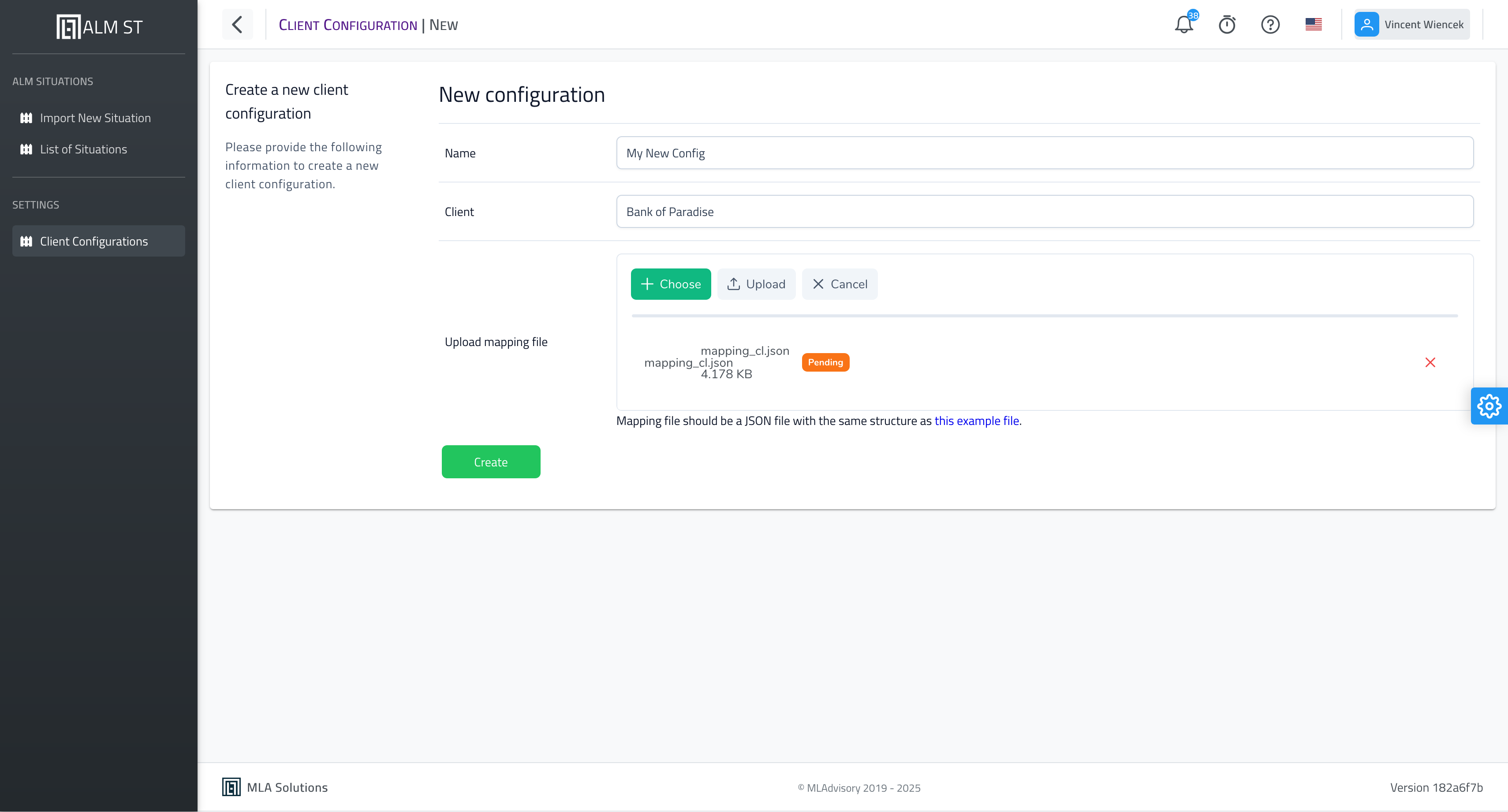
The following information is required to import a client configuration:
- the name of the client configuration;
- the
format des données(data format; mandatory, chosen from the drop-down list); - the client name (display label);
- the configuration file.
Note:
- several client configurations can be defined, in particular to run tests when the exports change.
Sample mapping
The Crédit Logement mapping, which follows the IRRBB_MM, Swaps_IRRBB, Securities_IRRBB and REPO views as exported, is the solution’s reference mapping: mapping-credit-logement.json. It is the same file as the one offered for download under Situations › Import guide and on the help menu’s Crédit Logement page. What it maps is described in Crédit Logement import. It also carries the Classification (176 postes, IRRBB perimeter flags included) and Run-off models sections of the integration Crédit Logement configuration.
An older example, predating the projection curves and the tenor columns, remains available: mapping.json. Its indexes (ISWAP, ISAP) match no curve of the Crédit Logement rate file; it cannot be imported as is.